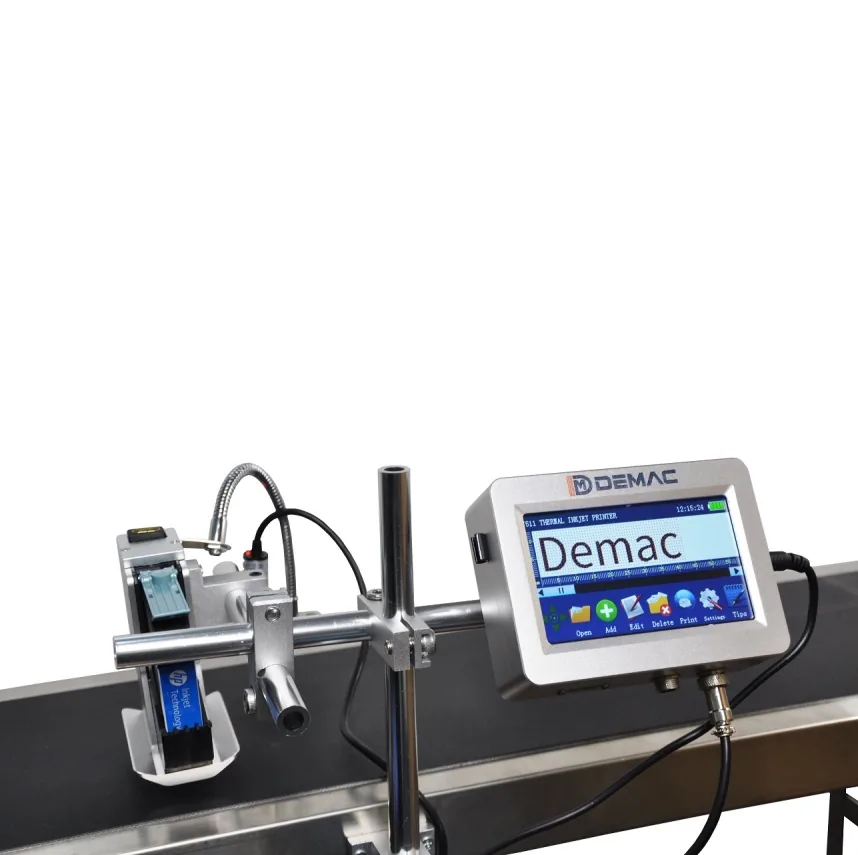
Coding machine servicing, maintenance and spares
A controlled route for investigating faults, maintaining the approved coding process and planning consumables, wear parts and production-critical spares.
Start with machine identity and a repeatable fault record
Coding-machine support is more effective when the machine, consumable, message, installation and symptom are identified together. A pale code, missed print or ribbon fault may come from the printer, but it may also be caused by product movement, contamination, timing, compressed air, cable damage or a recent format change.
| Observed symptom | Evidence to capture before adjustment | First process boundary to check |
|---|---|---|
| Pale, broken or incomplete print | Photograph the full code, printhead, consumable and substrate; record settings and recent changes. | Printhead condition, print distance, ribbon or ink, surface contamination and movement stability. |
| Code position moves between packs | Record pack pitch, guide position, sensor point, encoder status and line-speed change. | Product presentation and trigger timing before changing artwork or print density. |
| Intermittent no-print | Retain alarm history, input signal state, product-detect sequence and affected pack position. | Sensor, I/O, cable, printer-ready state and recovery after stops. |
| Ribbon wrinkle, break or poor economy | Record ribbon grade and width, web path, print area, cassette loading and host-machine movement. | Ribbon alignment, tension, printhead pressure, material tracking and message layout. |
| Barcode or 2D code does not scan reliably | Keep samples from the failure and known-good run, including verification or scanner results. | Symbol construction, contrast, quiet zone, module size, distortion and finished-pack handling. |
Separate planned maintenance from fault repair
Planned maintenance protects a known production process. Fault repair identifies why that process has already moved outside its approved condition.
Planned checks
Use the machine instructions and approved application record to schedule cleaning, inspection, consumable loading checks, cable and bracket inspection, air preparation where applicable and replacement of known wear items.
Fault investigation
Hold uncertain product, reproduce the symptom safely, identify the last known-good state and change one variable at a time. Retain evidence so a temporary recovery does not erase the original cause.
Return to production
After repair or adjustment, run the complete message on the real pack, check position and durability, confirm inspection and reject behaviour, and record the settings or parts changed before releasing production.
Control consumables as approved process materials
Ink, cartridges, hot-foil ribbon and TTO ribbon are not interchangeable commodity items. Their formulation, width, colour, coating compatibility, storage condition and loading method can alter adhesion, contrast, transfer quality, printhead loading and running cost.
Consumable record
- Machine and printhead model.
- Consumable manufacturer, grade, colour, width and batch where applicable.
- Approved substrate and production environment.
- Settings used for the approved sample.
- Storage, shelf-life and handling instructions from the consumable supplier.
Spares record
- Parts that can stop production and their verified part references.
- Wear items that can be replaced within normal maintenance.
- Tools, cleaning materials and safe replacement instructions.
- Controller, software and configuration backup information.
- Escalation route when the fault is outside operator or maintenance scope.
Questions about coding-machine servicing
Can a coding fault be caused by the packaging line rather than the printer?
Yes. Inconsistent product spacing, vibration, web tracking, sensor position, encoder slip, line-speed changes and cable or I/O faults can all create print symptoms even when the printer itself is operating. The fault record should therefore include the surrounding packaging process, not only the coder display.
When should a printhead be cleaned rather than replaced?
Follow the machine and consumable instructions first. Cleaning is appropriate when contamination or transferred material is the likely cause and the approved method can be used safely. Replacement should not be assumed until cleaning, alignment, consumable condition, settings and mechanical presentation have been checked.
What spares should be held for a coding station?
The spare-parts list should reflect the exact model, duty, wear points, service route and cost of downtime. Hold verified production-critical items rather than a generic box of parts, and keep the list linked to machine serial information, drawings and approved replacement instructions.
How can repeat coding faults be diagnosed faster?
Use a standard fault record containing time, SKU, substrate, message, settings, speed, alarms, affected pack samples, photos and the last maintenance action. A consistent record makes patterns visible and prevents each event being treated as an unrelated emergency.
Does a service visit automatically prove production readiness?
No. A service visit can restore or assess the machine, but production release still requires the approved code to be printed on the real pack and checked through normal handling, inspection, reject and changeover conditions. Final suitability depends on the complete application.
What information should be sent with a support enquiry?
Send the machine make, model and serial details, clear fault description, alarms, photos, failed and known-good print samples, current consumable reference, settings, line speed and recent changes. Lancing can then confirm the most appropriate support route without relying on guesswork.
Send a repeatable support record
Provide the machine identity, symptom, pack, consumable, settings and evidence from the affected production state.