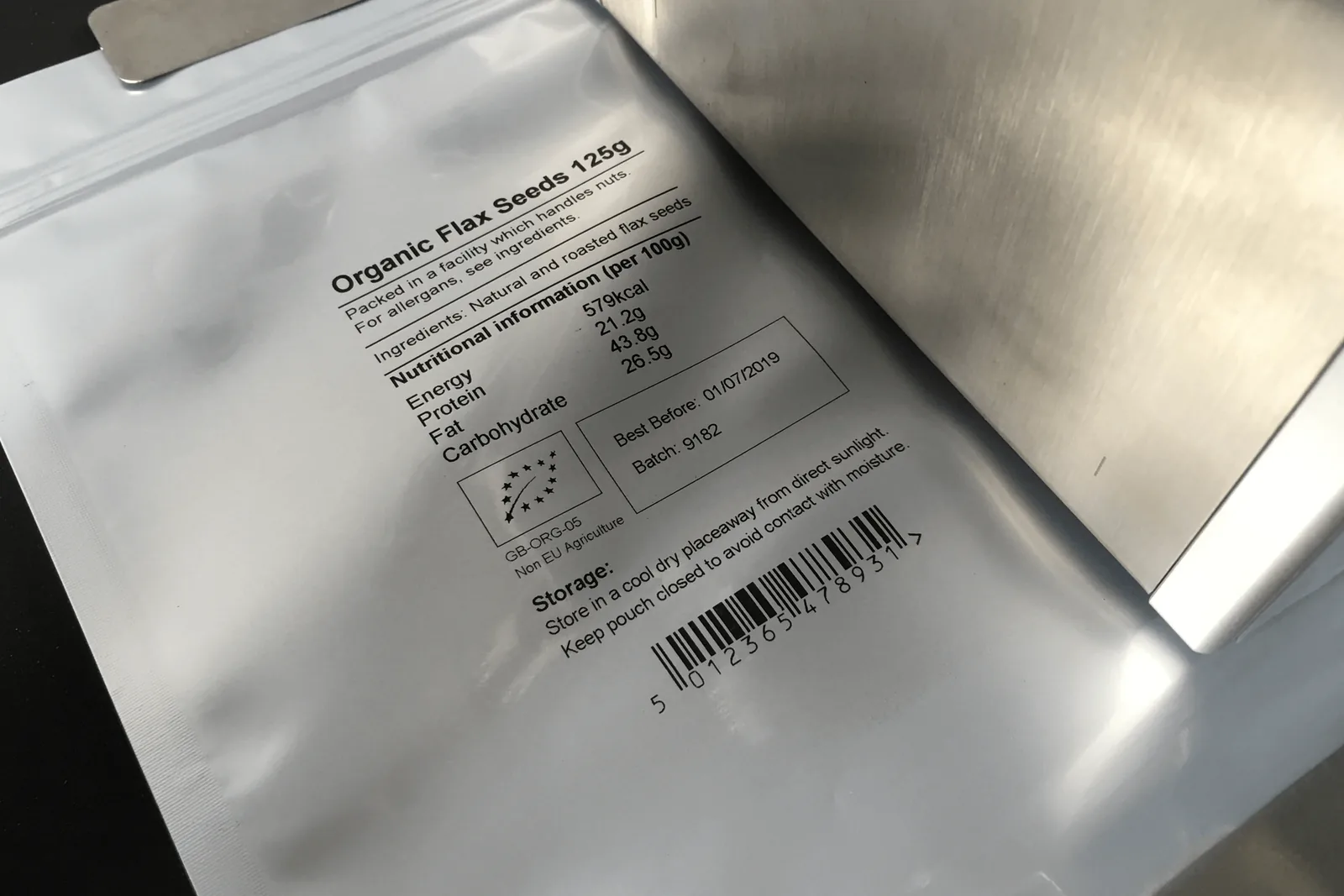
Batch coding machines for lot and traceability marking
Batch coding machinery helps operators print lot numbers, production references and traceability data clearly on each pack.
Application guidance for batch code printers uk.
How to specify this coding application
A batch code has to remain legible after handling, storage and distribution. The right system depends on whether the mark is applied to a label, carton, bottle, bag, pouch or printed film. It also depends on how often the batch changes and whether the code is controlled locally, through label design software or by upstream production data.
- Lot code structure and number of characters
- Need for serial numbers or shift codes
- Barcode or QR code requirements
- Substrate and ink/ribbon compatibility
- Data entry process and operator permissions
- Reject checking or line verification requirements
Recommended coding routes
Use these routes as a starting point before confirming samples, speed, substrate and integration details.
Simple lot/date marks
Hot foil coding is economical for short, repeated text where type changes are manageable.
Variable production data
Thermal inkjet is useful for lots, dates, serial numbers, QR codes and graphics where frequent message changes are needed.
High-resolution film coding
TTO printers provide strong print quality for pouches, bags, flow-wrap and vertical form-fill-seal machinery.
Related coding machinery pages
These internal resources help buyers move from the application to the correct machine technology.
Coding machine selection guide
Continue to this related coding machinery page for deeper specification guidance.
Barcode and QR code printers
Continue to this related coding machinery page for deeper specification guidance.
Contact Lancing
Continue to this related coding machinery page for deeper specification guidance.
Batch code printers UK FAQs
Can batch coding machines print barcodes?
Thermal inkjet and thermal transfer overprinters can print barcodes and QR codes when specified with suitable software, print area and substrate.
Is hot foil suitable for batch coding?
Hot foil is suitable for short date and batch codes where the code can be managed with heated type characters.
Can Lancing advise on traceability coding?
Yes. Lancing can review the packaging material, code content, line speed and application point to recommend the right coding route.
Need help with batch code printers uk?
Send your material, speed, code size and example data so Lancing can recommend the right coding route.
Make the batch code part of the traceability process
A batch coding machine prints the identifier, but the production system must decide where the identifier comes from, when it changes and how it is verified.
Define the batch or lot structure before choosing the printer. Record the number of characters, any date or line component, leading zeros, separators, serial fields and whether the value is entered manually or supplied by a database, PLC, ERP or MES. The field owner should be unambiguous.
Manual entry can be appropriate for simple, low-frequency jobs, but it needs access control and a first-off check. Automatic data transfer can reduce repeated typing, yet it creates interface questions: what triggers a new batch, what happens after a lost connection, which system is authoritative and how operators confirm that the displayed job matches the production order.
The printed result must be approved on the real pack. Batch codes often share a layout with a date, barcode or QR code, so test the largest combined message rather than a short demonstration. Confirm code position, contrast, adhesion, rub resistance and machine-readable performance after downstream handling.
Line synchronisation is important where products are closely spaced or speeds vary. Sensor position, trigger delay, encoder input and product control determine whether every pack receives one code in the right place. The acceptance test should include starts, stops, gaps, blocked sensors and changeovers, not only steady running.
Define the response to a failed code. Depending on the risk, the line may stop, reject the pack, raise an alarm or place product on hold for inspection. A vision or scanner system should have a documented inspection limit and should prove its reject or stop signal during commissioning.
Batch-data control points
Source
Identify the authoritative batch value and the rules for creating, changing, cancelling and recalling a job.
Transfer
Define manual entry, USB, serial, TCP/IP, PLC or database behaviour and what the operator sees after any communication fault.
Confirmation
Retain a first-off sample or electronic record and define the frequency and method of in-process checks.
Batch coding trial inputs
Data
Real batch examples, field length, variable logic, barcode or 2D content, job count and external data requirements.
Pack
Production material, colour, coating, print location, code area, handling exposure and expected storage.
Line
Normal and maximum speed, product pitch, movement stability, trigger, reject or stop response and changeover frequency.
Further batch coding questions
What is the difference between a batch code and a serial number?
A batch or lot identifier is normally shared by a defined production group. A serial number is unique to an individual item. The printer and data source must support whichever structure the process requires.
Can a coder receive batch data from ERP or MES?
Some digital printers offer serial or network interfaces, but the final protocol, field mapping and connection-loss behaviour must be engineered and confirmed for the selected model.
How often should a batch code be checked?
The business should define checks at start-up, after changeover, after a fault or consumable change and at an appropriate in-process frequency based on risk.
Can one inspection camera verify text and a barcode?
Potentially, subject to the camera, software, code size, line speed and lighting. The exact inspection limits and reject response should be proven during the acceptance test.
What should happen if a pack misses its batch code?
The response should be agreed before commissioning. Options include a controlled reject, line stop, alarm or product hold, with proof that the response works at the target speed.
Plan batch data and print together
Read the integration and data-control guide before defining the final machine interface.
Reconcile printed batch identifiers with production records
A batch code is useful only when the printed value can be connected to the authorised production record and the quantity of product released under that identifier.
Define how a batch is created and when it becomes valid. Record whether the identifier is generated by ERP, MES, a database, a production instruction or an authorised operator. Include field length, separators, leading zeros, line or shift elements and any relationship between the batch and date code.
The print job should receive only the fields it needs. Where data is transferred automatically, document field mapping, job selection, validation and the behaviour after a lost or delayed connection. Where data is entered manually, use access control, a second check and a first-off sample so the record does not depend on memory.
Record the first good and last good product associated with each batch where the process requires that level of control. A stop, jam, printer fault, ribbon or cartridge change and product change can create an uncertain group between the last confirmed good code and the point at which normal checks resume.
Reconciliation should account for good product, rejected product, held product, samples and rework. The exact method depends on the production process, but ownership must be clear. A vision system can identify a configured print defect; it does not by itself prove that the production quantity and batch record reconcile.
For shared batch codes, confirm when one identifier ends and the next starts. For unique serial data, prove that duplicate and missing values are detected according to the data architecture. Do not assume that a printer capable of incrementing a number provides a complete serialisation system without database and product-tracking controls.
Batch-code reconciliation record
Agree the record before choosing the final interface so the coding station supports production and quality workflows.
| Record point | Information | Control question |
|---|---|---|
| Batch creation | Authoritative identifier, product, production order, date or shift relationship and person or system releasing the value. | Can an obsolete, duplicate or unauthorised batch be selected? |
| Printer job | Job name, fixed artwork, variable fields, transfer method, active version and operator access. | Can the printed code be traced to the approved message configuration? |
| Start and end | First-off approval, start time, change points, last-good confirmation and end time. | Is the boundary between two batches visible and recorded? |
| Exceptions | Stops, faults, rejected packs, held product, rework, sample packs and any manual intervention. | Is uncertain product identified before release? |
| Verification | Visual, OCR, scanner or vision check; inspection frequency; reject or stop action; reject confirmation where used. | Does the check confirm the required content, or only presence and position? |
Message design
Use the date and batch coding guide to define field structure and first-off checks.
Data transfer
Use the integration and data-control guide for PLC, database, ERP or MES interfaces.
Physical print
Use the print-quality guide to approve contrast, adhesion, rub and machine-readable codes.
Define the batch record before the printer interface
Send example batch values, data ownership, change frequency, pack material, line speed and the required verification or reject response.
Link batch creation, physical print and production reconciliation
The printer should receive or create a batch value through a controlled process, apply it to the correct product and provide the evidence required to reconcile the run.
Batch authority
Name the system or person that creates the identifier, its format, uniqueness rules and the point at which it becomes valid for production.
Product association
Control product job, material, batch and printer template through start-up, changeover, rework and restart after a stop.
Reconciliation
Define counts, rejected or held product, end-of-batch clearance and the record needed to show which printed identifiers were released.
Where each pack carries a unique serial rather than one batch identifier, specify serial generation, transfer, tracking, inspection and data storage as a separate integration duty.
Use the data-control guide and traceability systems page to plan the complete sequence.
Define the batch record before selecting the data interface
Send the batch format, source, product association, rework rules, reconciliation requirement and pack sample.