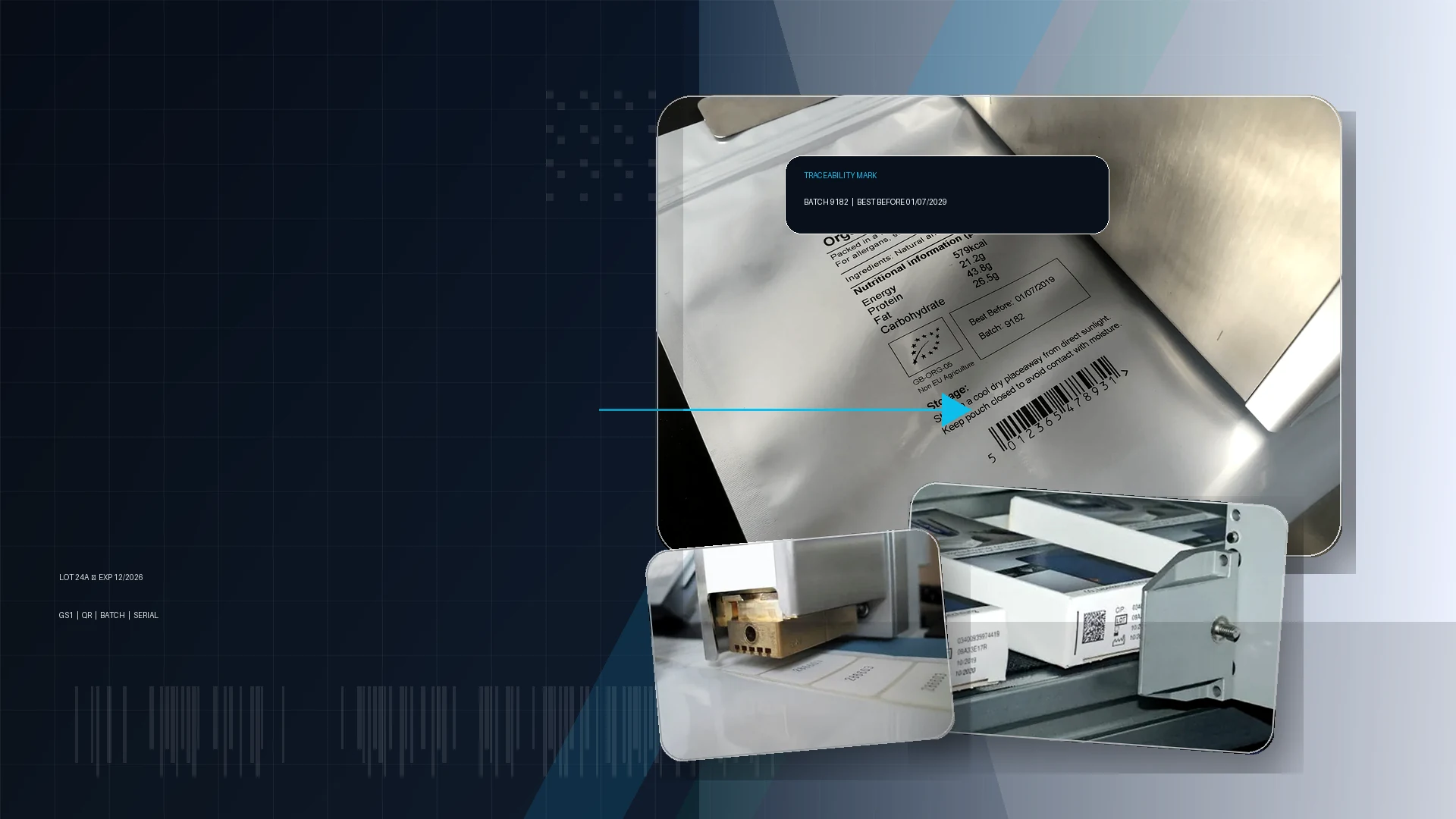
Label date coders for inline label printing
Print dates, batch numbers and traceability marks onto labels before they are applied to bottles, cartons, jars or other packs.
Application guidance for label date coding.
How to specify this coding application
Coding onto a label web can be a controlled way to add variable data before the label reaches the pack. It can reduce the difficulty of printing directly on curved bottles or awkward surfaces, provided the label path, print position and speed are compatible with the chosen coder.
- Inline coding before automatic label application
- Date, batch, barcode and QR code printing
- Label material and print-window checks
- Synchronization with labelling machinery
- Message changeover for multiple products
- Scan and legibility validation where needed
Recommended coding routes
Use these routes as a starting point before confirming samples, speed, substrate and integration details.
Thermal inkjet label coding
TIJ can print sharp variable data onto suitable label stock.
Hot foil label coding
Hot foil is a low-cost route for simple date marks on compatible intermittent label applications.
Print-and-apply labels
For unique product identification, a print-and-apply system can print each label and apply it one-to-one.
Related coding machinery pages
These pages help connect the application to the most suitable coding technology and support route.
Label date coding FAQs
Can labels be coded before application?
Yes. Online printing systems can print variable data onto labels before they are automatically applied.
What can a label date coder print?
Depending on the printer, it can print dates, batch numbers, serial data, barcodes, QR codes and logos.
Is label coding better than direct bottle coding?
It can be easier where the bottle is curved, glossy or difficult to present consistently to a print-head.
What should I check on label stock?
Check material, coating, colour, label web speed, print area and whether the code has to scan.
Need help with label date coding?
Send your material, speed, code size and example data so Lancing can recommend the right coding route.
Check the code on the label after application
A label coder should be reviewed with the finished pack as well as the label web. Confirm that the chosen print area remains visible after the label is wrapped, overlapped or applied to the container. Include the actual artwork so text, colour and an existing barcode do not compete with the variable code.
Record where coding takes place relative to label dispensing and how the line confirms the correct job. During a change, account for labels already printed or remaining in the machine. The changeover procedure should make clear how those labels are identified and prevented from entering the next run incorrectly.
- Artwork check
- Reserve a defined code panel and assess it on the final applied label.
- Residual labels
- Describe how the previous message is cleared and the first new label is approved.
Should sample printing use unprinted label material?
Use the production artwork and finish where possible. A blank sample may not reveal contrast, layout or final-position problems.