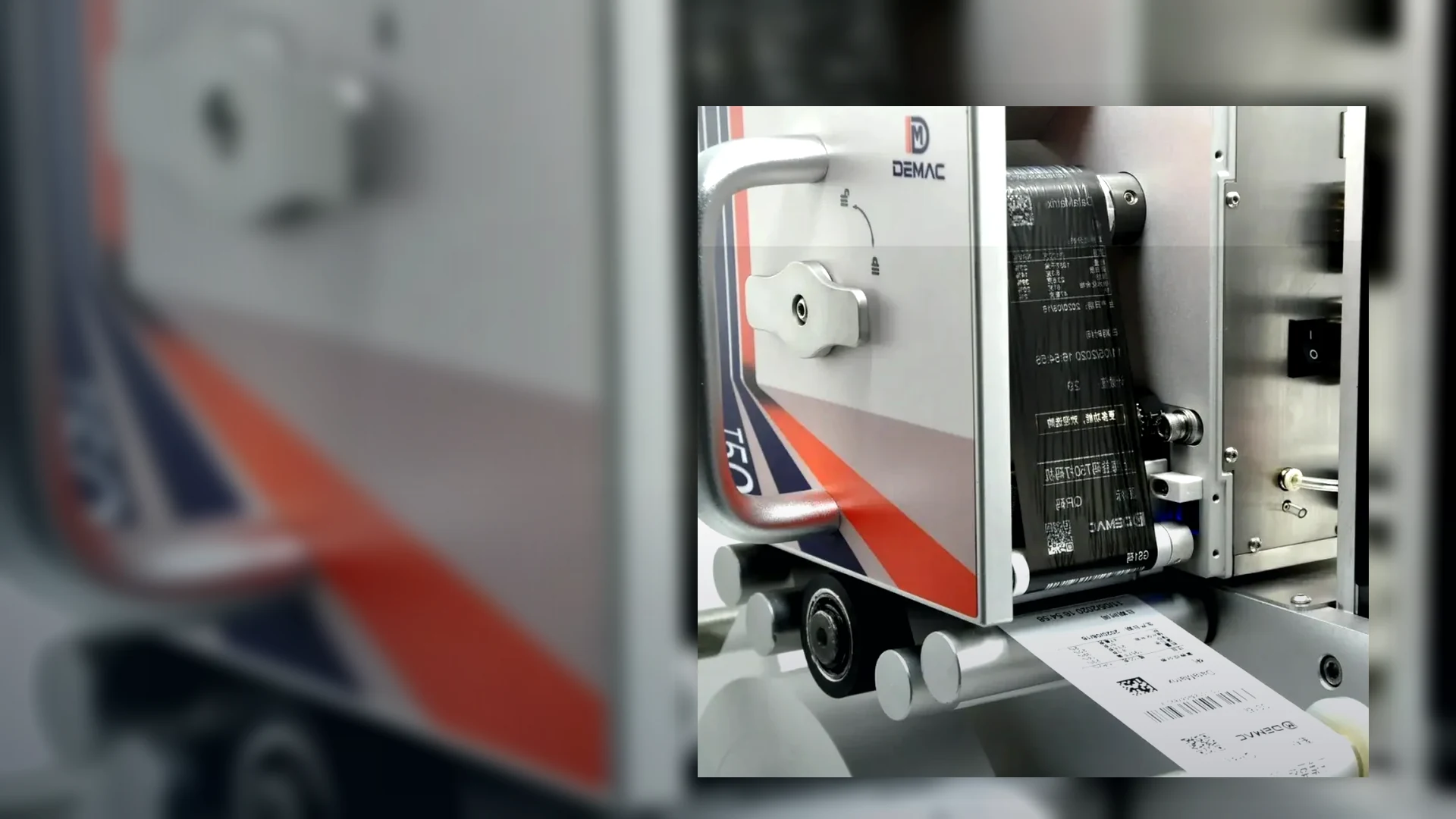
GS1 2D barcodes on packaging
A 2D code project starts with the business data and scanning use case, not with printer resolution alone. The symbol, data syntax, artwork, substrate, print process and verification method must be planned as one packaging application.
Select the symbol from the use case and data
GS1 supports several 2D data carriers. The correct choice depends on where the pack will be scanned, which data must be encoded, whether web connectivity is required and what trading partners can process.
| Data carrier | Typical role | Questions before coding |
|---|---|---|
| GS1 DataMatrix | Compact supply-chain and regulated-sector identification using GS1 element string syntax. | Which identifiers and attributes are mandatory, what symbol size is available, and which scanners or systems will process the data? |
| QR Code with GS1 Digital Link | GS1 identifiers in a web-compatible URI that can support consumer engagement and other business processes. | Who manages the resolver and digital content, which data is encoded, and how will point-of-sale or trading-partner readiness be handled? |
| GS1-128 or existing linear symbol | Established use for logistic and traded-unit data, depending on the pack and business process. | Is a 2D symbol replacing, complementing or serving a different role from the current barcode? Confirm the transition requirement rather than assuming removal. |
Use current GS1 documentation and the requirements of the receiving organisation. This page is coding and packaging guidance, not a substitute for a sector-specific or trading-partner specification.
Define the data before designing the symbol
Identifiers
Confirm the GTIN or other GS1 key, ownership, allocation and relationship to the physical product. The printer should not be asked to invent or validate identifiers it does not own.
Attributes
Agree batch or lot, expiry, serial, weight or other Application Identifier fields, including field length, character rules and whether each value changes by pack, batch or product.
Human-readable information
Specify what must also appear as text, its relationship to the encoded data and how an operator or quality checker confirms the active values.
Build the print process around symbol quality
2D symbols concentrate information into a small area. Substrate movement, dot shape, contrast, quiet zones, distortion and abrasion can affect the final result.
- Reserve the correct symbol area and quiet zones in the packaging artwork.
- Avoid folds, seals, seams, tight curves, transparent backgrounds, glare and areas that will be scuffed downstream.
- Use the actual production material, colour, coating and printed background in trials.
- Run the complete data set, not a simplified demonstration symbol with fewer characters.
- Test at the agreed production movement and after realistic handling, sealing, cooling or storage exposure.
- Verify final samples using the level required by the application and record the printer, consumable, settings and substrate.
Printer capability is only one gate
The J511 thermal inkjet information supplied to Lancing includes QR and barcode printing, while the T30/T50 thermal transfer range supports QR Code, DataMatrix and GS1-mode barcode options. Those capabilities do not by themselves prove a particular GS1 symbol at a chosen size or speed.
Use the thermal inkjet page and TTO page for verified model data, then approve the actual symbol through a controlled sample trial.
Verification and inline inspection have different jobs
Artwork review
Checks data structure, symbol choice, dimensions, quiet zones and placement before production artwork is released.
Formal verification
Uses a suitable verifier and method to assess the final printed symbol. GS1 UK recommends verification on a final product sample.
Inline decode
Confirms that a production reader can decode the symbol and can compare the returned data with the active job.
Vision inspection
May add presence, position, text or defect checks and trigger reject or line-stop logic, but capability depends on the configured system.
Prepare the packaging line for variable 2D data
Data source: define whether the printer receives product, batch, expiry or serial values from an operator, scanner, PLC, database, ERP or MES. Use one authoritative source for each field and a documented response to invalid data.
Template control: protect symbol type, fixed identifiers, field order, separators, human-readable text and print area. Limit which users can create or edit jobs.
Trigger and tracking: synchronise the print with web or product movement and maintain the relationship between a generated serial value, the printed pack and any downstream inspection result.
Inspection response: decide whether an unreadable, wrong or missing symbol causes reject, line stop, product hold or manual intervention. Prove the chosen response with known bad samples.
Records: agree whether the process needs only first-off approval, a count reconciliation, decoded data, stored images or a serialisation record. Do not collect data without a defined business purpose and owner.
Transition planning: confirm scanner, retailer, customer and internal-system readiness before changing existing barcode artwork. Current official information is available from GS1's 2D barcode resources.
GS1 2D barcode FAQs
What is the difference between GS1 DataMatrix and a QR Code with GS1 Digital Link?
Both can carry GS1 identifiers, but they use different data syntax and are intended for different use cases. GS1 DataMatrix is established in supply-chain and healthcare applications, while QR Code with GS1 Digital Link can also connect users to web resources. Confirm the requirement with the relevant trading partner or sector guidance.
Can a 2D barcode contain a batch number and expiry date?
GS1 Application Identifiers can represent data such as GTIN, batch or lot number and expiry date when the application and symbol support them. The exact data set and format must be agreed before artwork and printer jobs are created.
Does a successful smartphone scan prove the barcode is compliant?
No. A phone or ordinary scanner only shows that one device decoded the symbol. Formal verification assesses print quality using a suitable verifier and method. The final pack sample should be checked.
Can a thermal inkjet or TTO printer produce GS1 2D codes?
The coding range includes models that can print QR and DataMatrix content, but suitability depends on print size, substrate, movement, contrast, quiet zones and verification. Test the exact symbol on the production material.
Should the existing 1D barcode be removed when a 2D code is added?
Do not assume that every point-of-sale or supply-chain system can process the new symbol. Follow current GS1 and trading-partner requirements for the market and use case before changing artwork.
Test the full 2D data on the final pack
Send the symbol specification, complete encoded data, production substrate, print area, line movement and verification requirement for a coding review.
What GS1 Ambition 2027 means for a coding-machine project
GS1's Ambition 2027 is a retail-readiness goal: by the end of 2027, point-of-sale systems should be capable of reading and processing defined GS1 2D barcodes as well as existing linear barcodes. It is not a general instruction to remove EAN or UPC immediately, so packaging teams must plan data, code area, print quality and transition testing together.
| Project question | Why it matters to coding machinery | Evidence to obtain |
|---|---|---|
| Which GS1 symbol and syntax are required? | GS1 DataMatrix and QR Code with GS1 Digital Link use different syntax and application rules. The printer must receive the correct encoded data, not only a visual image. | Approved data structure, GTIN ownership, application identifiers or Digital Link URI and a known-good generated symbol. |
| Will a linear barcode remain on the pack? | During transition, two barcodes can compete for space and scanner attention. Their placement and data relationship must be controlled. | Approved artwork showing both codes, quiet zones, human-readable text and the intended point-of-sale behaviour. |
| Is the 2D code static or variable? | Lot, expiry, serial or other dynamic fields require a live data source, message control and reconciliation process. | Field ownership, update timing, data validation, failure response and retained production record. |
| Can the line print the required module size and contrast? | Nominal DPI does not prove the final symbol. Substrate, ink or ribbon, movement, distortion and handling affect the result. | Finished-pack samples, formal verification where required and inline inspection challenge samples. |
| How will the line prevent duplicate or wrong data? | A readable code can still be the wrong code. Printer control, job selection, data comparison and product containment must work together. | Interface schedule, changeover procedure, wrong-code challenge, reject confirmation and reconciliation record. |
Authoritative references: GS1 2D Barcodes at Retail Point-of-Sale Implementation Guideline and GS1 Ambition 2027 readiness information.
Separate data design, print capability and verification
A transition project should not begin by asking only whether a printer can produce a QR code. First define the GS1 data and symbol, then prove that the selected coding process can reproduce it on the final pack, and finally define how the line will detect or contain a wrong, missing or unreadable code.
1. Data and symbol
Agree the identifier, variable fields, syntax, barcode type, human-readable content and data source with the responsible GS1 and business-data owners.
2. Print process
Test the real printer, substrate, ink or ribbon, movement, module size, quiet zone, contrast and distortion on the finished pack.
3. Quality and containment
Define formal verification, inline decode or vision checks, wrong-data comparison, reject confirmation and the response to uncertain product.