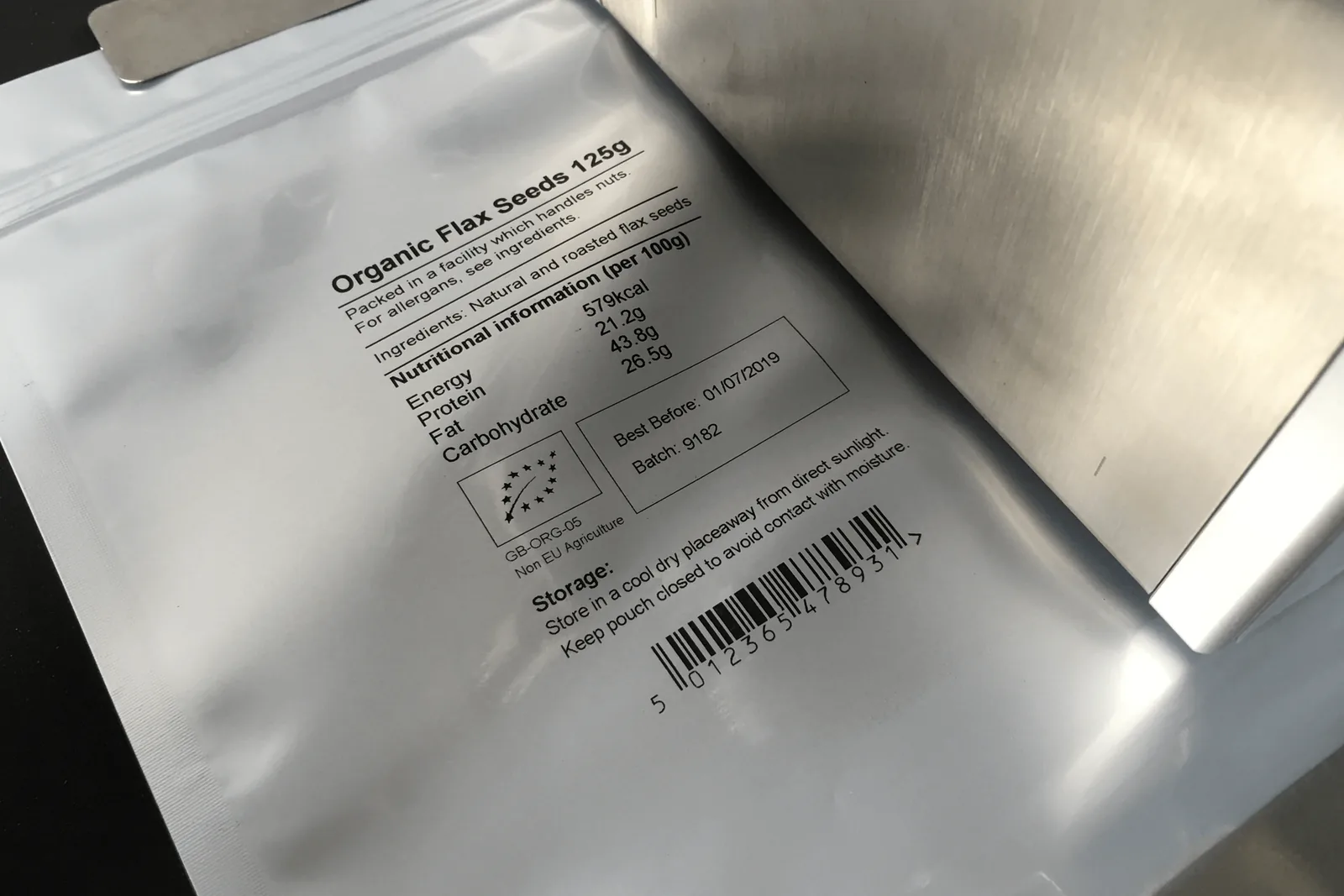
Barcode and QR code printers for packaging lines
Print machine-readable barcode and QR code data as part of a packaging line, label process or flexible film application.
Application guidance for traceability code printing.
How to specify this coding application
Barcodes and QR codes need more attention than simple date marks because print contrast, quiet zones, distortion and substrate compatibility affect scan quality. Thermal inkjet and thermal transfer overprinting can both support coded data, but the best option depends on the packaging format and line process.
- Code type and required grade
- Code size, quiet zones and orientation
- Material contrast and background colour
- Variable data source and message management
- Line speed and printhead distance
- Verification, scan checks or reject requirements
Recommended coding routes
Use these routes as a starting point before confirming samples, speed, substrate and integration details.
Labels and cartons
Thermal inkjet can print barcodes and QR codes on suitable label and carton applications.
Film, bags and pouches
Thermal transfer overprinting is usually the better route for high-resolution codes on flexible film.
Unique product identification
Print-and-apply systems can be considered where each pack needs a unique label or address label.
Related coding machinery pages
These internal resources help buyers move from the application to the correct machine technology.
Batch coding machines
Continue to this related coding machinery page for deeper specification guidance.
Thermal inkjet coders
Continue to this related coding machinery page for deeper specification guidance.
Thermal transfer overprinters
Continue to this related coding machinery page for deeper specification guidance.
Traceability code printing FAQs
Can coding machines print QR codes?
Yes. Thermal inkjet and TTO systems can print QR codes where the print area, data handling and substrate are suitable.
Can hot foil print barcodes?
Hot foil is intended for simple character-based date and batch marks, not complex variable barcode or QR code printing.
Which printer is best for GS1-style data?
That depends on code size, substrate, scan grade and line setup. TTO or thermal inkjet may be suitable after checking the application details.
Need help with traceability code printing?
Send your material, speed, code size and example data so Lancing can recommend the right coding route.
Design machine-readable codes for the scanner and the substrate
A barcode, QR code or DataMatrix symbol must be created, printed and verified as one system.
Start with the required symbology and data structure. Confirm whether the code is for internal use, a customer, retailer, GS1 workflow or another defined process. The data field, check digits, application identifiers, separators and human-readable text should be approved before print testing.
Size and contrast are critical. The symbol needs enough module or bar width for the selected printer and scanner, with the required clear area around it. A high printer resolution can help, but it cannot compensate for insufficient physical size, low contrast, a reflective background or distortion on a curved or flexible pack.
Substrate and consumable affect edge definition and durability. Test the exact ink or ribbon on production material at the intended line speed. For film and pouches, inspect after forming and sealing. For cartons, labels or bottles, inspect after drying and normal contact with guides, belts and secondary packaging.
Verification should be agreed before the machine is ordered. A simple scanner confirms that the code can be decoded under one condition; a verifier can provide a more controlled assessment. The customer should define the required method, acceptable result and frequency of checks.
Where automatic inspection is used, challenge the system with missing, damaged, displaced and wrong-data samples. Prove the line stop or reject action and make sure rejected product cannot re-enter good production unnoticed.
Barcode and 2D-code approval points
Data
Approve symbology, field structure, check digits, variable source and human-readable text.
Approve physical size, clear area, contrast, position, substrate, ink or ribbon and line speed.
Verify
Agree scanner or verifier, acceptance result, check frequency and response to a failure.
Further barcode and 2D coding questions
Is a higher DPI printer always better for barcodes?
Not by itself. Resolution must be combined with a suitable symbol size, contrast, quiet zone, substrate, speed and print distance or ribbon transfer.
What is the difference between scanning and verification?
A scanner confirms that a device can decode the symbol in that test. A verifier uses a controlled method to assess defined quality characteristics. The required method should be specified by the customer.
Can QR and DataMatrix codes be printed by the T30 or T50?
The supplied TTO specification lists QR and DataMatrix support, including GS1 modes. The actual data, size and software configuration must be tested in the final layout.
Why can a code scan before packing but fail afterwards?
Forming, sealing, curvature, stretch, heat, rub, condensation, labels or secondary packaging can distort or obscure the symbol. Final approval should inspect the finished pack.
Should every failed code be rejected automatically?
The response depends on the process risk and line design. It may be a reject, stop, alarm or product hold, but the selected response should be proven during commissioning.
Send the symbol specification with the pack sample
The print-quality testing guide explains how to record the substrate, message, scanner and acceptance method.
Deliver a barcode or 2D-code project as a controlled sequence
The symbol, data, artwork, print process, inspection and receiving system must be compatible. Treating the printer as the owner of all six creates avoidable risk.
Plan GS1 2D coding
Confirm identifiers, attributes, syntax, symbol, placement and trading-partner readiness.
Qualify the final pack
Test size, contrast, quiet zones, distortion, substrate and realistic downstream handling.
Decode, verify and contain
Define the required check, compare data where necessary and prove the reject or stop response.
Test the complete encoded data, not a simplified symbol
Send the approved data structure, symbol requirement, final pack material, print area, line movement and inspection method.