Packaging line traceability marking systems
Traceability coding

Packaging line traceability marking systems

Plan date, batch, serial, barcode and QR code printing around the line process so traceability does not become a production bottleneck.

Packaging line traceability marking systems

Application guidance for traceability coding.

How to specify this coding application

Traceability requires more than a visible mark. Operators need the correct message selected at the right time, printed in the right position and linked to the correct product run. The coding system should be chosen with attention to packaging material, line control, product changes and any downstream checks.

  • Traceability data required on every pack
  • Manual entry, stored message or upstream data transfer
  • Code verification process
  • Product changeover sequence
  • Reject handling and rework process
  • Audit trail expectations

Use these routes as a starting point before confirming samples, speed, substrate and integration details.

Basic traceability

Date and batch information can be printed using hot foil, inkjet or TTO depending on the pack.

Machine-readable traceability

Thermal inkjet or TTO systems may be needed for barcodes, QR codes and serial data.

High-SKU operations

Message management, stored jobs and operator workflow are important when many SKUs use the same line.

Traceability coding FAQs

What data can be printed for traceability?

Common traceability data includes dates, batch numbers, lot numbers, serial numbers, barcodes, QR codes and product references.

Which coder is best for traceability?

Thermal inkjet and thermal transfer systems usually provide more variable-data capability than hot foil, but the best choice depends on material and speed.

Can traceability coding be added to an existing line?

Often yes, but the available space, mounting point, sensors, speed and product handling must be checked first.

Need help with traceability coding?

Send your material, speed, code size and example data so Lancing can recommend the right coding route.

Send enquiry

Design the traceability chain before choosing the printer interface

A coding station is one part of a data and product-control chain that starts with the job record and ends with a verified pack or a controlled failure response.

List every field that will be printed and identify its authoritative source. Static product text may come from a controlled template, while batch, date, serial or variable identifiers may come from an operator, PLC, database, ERP or MES. The interface design should state which system creates each value and which system is allowed to change it.

The printer needs a reliable trigger linked to the physical pack. A photoelectric sensor may be sufficient for stable, evenly spaced products. An encoder can be required when the print must follow a variable conveyor or web speed. The final choice depends on the technology, product presentation and accuracy needed at the print point.

Line logic should distinguish printer ready, warning, fault, ribbon or ink condition, job loaded and print complete where those signals are available. Define whether the host machine can run when the coder is not ready and how the operator is told which action is required.

Verification can range from an operator first-off check to a scanner or vision system that confirms presence, position or decoded content. The inspection specification should state what the system can and cannot detect, how lighting and product variation are controlled and what happens after a failure.

A reject device must be proven, not assumed. Test the reject signal, delay, product tracking, full-bin or reject-confirmation logic and behaviour at maximum line speed. If the process uses a line stop or product hold instead, define how affected packs are identified and cleared.

During FAT or SAT, test normal production and faults: wrong or missing job data, lost communication, blocked sensor, speed variation, printer not ready, unreadable code, reject failure and restart after a stop. Record the approved software versions, message templates, interfaces and recovery procedure.
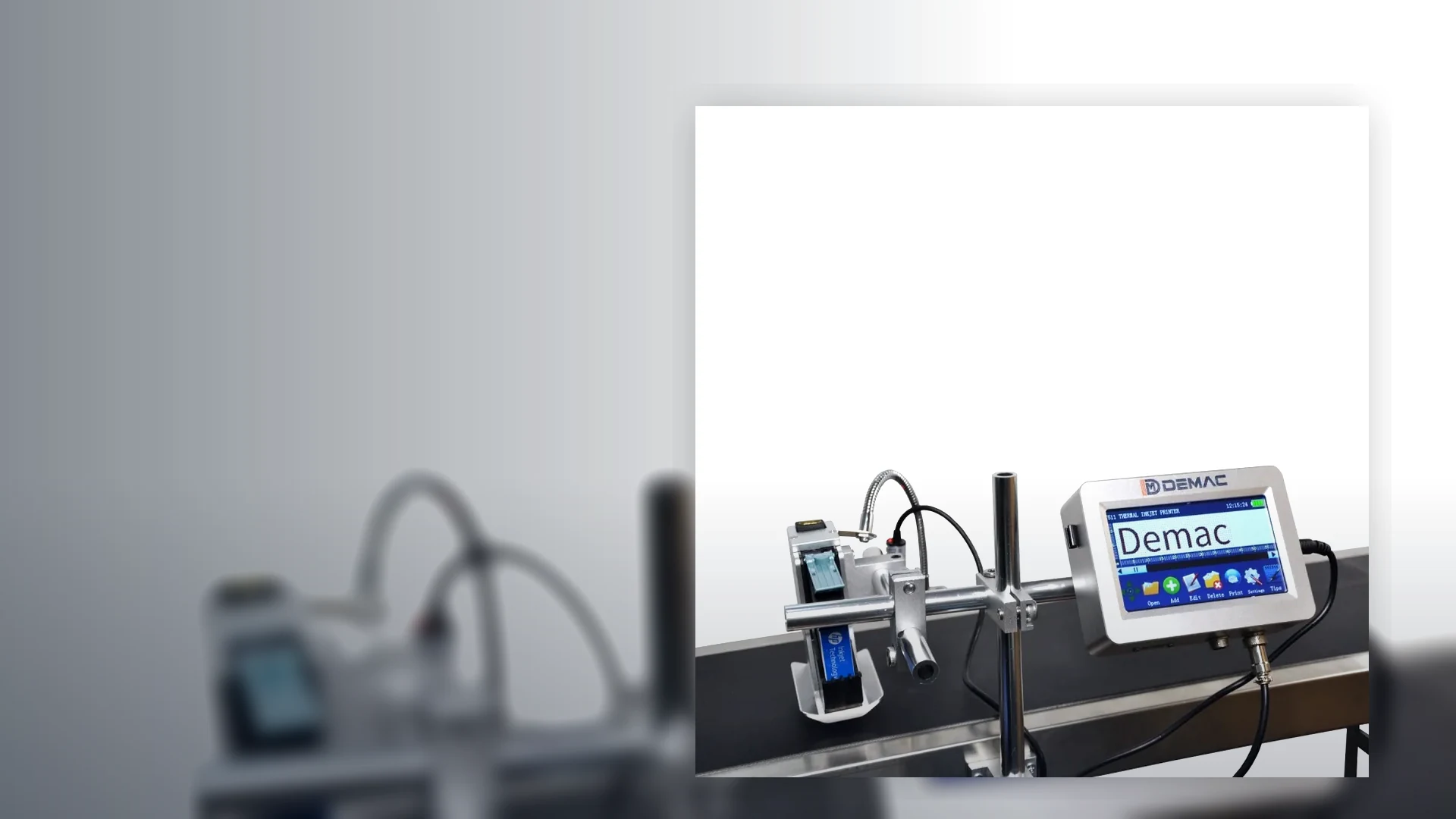
Traceability architecture checklist

LayerQuestions to answerAcceptance evidence
Job and dataWho creates the job, which fields vary, how they are transferred and what happens after a connection loss?Approved message template, field map, permissions and communication-fault test.
Product trackingWhat triggers the print, is speed variable, how is product pitch controlled and how are gaps handled?Sensor or encoder test across normal speed, maximum speed, gaps, starts and stops.
Print and verifyWhat must be present, readable or decoded, and what is the inspection limit?Approved samples, verifier or vision settings and challenge samples representing expected faults.
Reject or stopHow is a failed pack removed or contained, and how is the action confirmed?Timed reject test, reject confirmation or documented hold/line-stop procedure.
RecordsWhich job, result or fault information must be retained and by which system?Agreed audit trail, report or production record with ownership and retention defined by the customer.

Keep interface claims model-specific

The T30 and T50 list USB, RS232 and TCP/IP, while the J511 information refers to USB database and external real-time data. A connector alone does not prove a complete ERP or MES integration.

Protocol

Confirm the supported commands, message format, acknowledgements, update timing and software/licence requirements.

Ownership

Define which system is authoritative, who can edit fields and how job changes are approved.

Failure behaviour

Prove what the printer and line do after lost data, invalid fields, printer fault, verification failure or restart.

Further traceability integration questions

Does an Ethernet port mean a coder can connect directly to ERP or MES?

No. The physical interface is only one layer. Protocol, message format, authentication, field mapping, software and failure handling must all be confirmed.

When is an encoder used with a coding machine?

An encoder can provide speed or distance information when the print must follow a moving conveyor or web whose speed varies. Suitability depends on the printer technology and host machine.

Can a vision system prove that the printed data is correct?

It can inspect within its configured capability, such as presence, position, OCR or decoded symbol content. The inspection limits, challenge samples and response must be documented.

What is reject confirmation?

It is a separate check that the product identified for rejection was actually removed. The method depends on the reject mechanism, product tracking and line risk.

What should be tested after a communications failure?

Confirm the active job, data retained by the printer, operator warning, line permission, recovery steps and treatment of packs produced before and after the fault.

Define the coding interface before software work starts

Use the coding line integration guide. For the wider production line, see Packaging Lines UK.

Discuss traceability

Design verification and reject logic as one controlled sequence

Reliable traceability needs more than a printer and a camera. The line must associate each product with a message, inspect the required attributes, remove or hold non-conforming product and reconcile the result.

1. Detect

A sensor or machine event identifies the product or web position. Product pitch, gaps, bounce, transparent packs and speed changes must not create double or missed triggers.

2. Associate

The control system links the product to the correct job and variable data. Where several products are between print and inspection, tracking must survive acceleration, stops and conveyor accumulation.

3. Print

The printer reports the state needed by the process, such as ready, busy, complete, warning or fault, subject to the selected model and interface. The line response to each state must be defined.

4. Inspect

Vision, OCR, OCV or barcode reading should check only the attributes covered by the approved configuration. Presence, position, text comparison and symbol decoding are different inspection tasks.

5. Remove or hold

The line stops, rejects or holds product according to the risk assessment and available layout. The delay from inspection to rejection must track the correct product at all operating speeds.

6. Confirm and reconcile

Where required, reject confirmation proves the targeted pack was removed. Counts, alarms and production records then identify good, rejected, held and uncertain product.

Traceability fault-state matrix

Agree a safe, unambiguous state for common faults before software and electrical interfaces are finalised.

Fault or challengeQuestions to settleCommissioning evidence
Printer not ready or consumable warningMay the line start or continue? Is product already between the trigger and printer? Who can acknowledge the state?Challenge the signal at start-up and during running, then confirm product disposition and recovery.
Lost external data or communicationsDoes the printer retain the previous job, block printing or request manual entry? Which system is authoritative after reconnection?Interrupt the connection, confirm alarms and line permission, restore data and verify the first released product.
Unreadable or incorrect codeIs the check for presence, position, text, decoded content or a formal symbol-quality criterion? What action follows each result?Use controlled good, poor, wrong and missing-code samples and record the configured inspection response.
Reject device unavailable or bin fullCan the line continue without confirmed removal? Is there a secure product-hold route?Disable or block the reject path and prove the agreed stop, alarm or hold state.
Stop, jam or manual product removalHow is tracking reset, and which product becomes uncertain between printing, inspection and rejection?Stop the line at several positions, remove or add a test pack, then confirm tracking and reconciliation before restart.

Use the coding line integration guide to define signals, ownership and recovery. Use the print-quality guide to separate physical code quality from inspection configuration, and the barcode and QR coding page for machine-readable layouts.

Complete conveyor, accumulation, guarding and machine-interface responsibility belongs with the specialist packaging line integration route. Broader CIJ and inkjet product-marking requirements should continue to Inkjet Coder UK rather than creating overlapping pages on this domain.

Define product tracking before selecting the inspection hardware

Send the line layout, product pitch, coding point, inspection point, reject position, data source and required production record.

Review a traceability interface

Extend traceability from code creation to product disposition

A traceability mark is useful only when the right data reaches the right pack, the result is checked to the required level and uncertain product is contained.

Traceability layerControl questionProject resource
RequirementWhich product, batch, date, lot, serial or barcode fields are mandatory, and who owns each rule?Coding-machine URS
Data and line interfaceHow are job, pack identity, trigger, encoder, PLC and database or ERP/MES signals coordinated?Integration and data control
Machine-readable dataWhich GS1 or customer data structure, symbol, size and placement will downstream systems process?GS1 2D coding
Inspection and containmentIs the need presence, OCR/OCV, decode, verification or data comparison, and what happens to a failure?Vision inspection and reject
Acceptance and recordsWhich normal, changeover and fault scenarios prove that the complete control chain works?FAT, SAT and commissioning

Define the traceability exception path before integration

Provide the authorised data source, pack path, inspection requirement, reject or hold method and reconciliation record.

Discuss traceability controls

Questions about traceability records and product disposition

Traceability is complete only when the line records the relevant event, maintains product identity and defines what happens to rejected, held or uncertain packs.

Which traceability events should be recorded for each production run?

The required record depends on the business and customer need, but the project should explicitly decide whether to retain job selection, authorised data source, start and end times, counts, alarms, rejected or held packs, operator actions and verification results. Recording everything without a defined purpose can be as unhelpful as recording too little.

Map each record to a decision or investigation need, then confirm which system creates it and how it is reconciled at the end of the run.

How should the system distinguish rejected, held and unverified product?

Rejected product has failed a defined check and followed the removal process; held product is deliberately segregated pending a decision; unverified product has an uncertain inspection or tracking state. The system and operating procedure should keep these categories separate so that an uncertain pack is not treated as a confirmed reject or a released good pack.

Use clear counts, physical containment and operator instructions that remain valid after stops, jams and manual intervention.

What should happen when inspection is available but reject confirmation is not?

If the line cannot confirm that the targeted pack was removed, the project should define another safe disposition such as stopping the line, holding a defined product window or requiring a controlled manual check. The correct response depends on risk, layout and the ability to preserve product identity.

Do not describe an inspection system as full containment when the failed pack can continue without confirmation. Challenge this condition during SAT.

How can product identity be maintained through accumulation or conveyor gaps?

Product identity can be maintained through controlled pitch, encoder or conveyor tracking, sensor hand-offs, queue logic or another method supported by the line controls. The design must account for gaps closing, products touching, accumulation release, manual removal and the physical distance between print, inspection and reject points.

Use the mounting and line-layout guide to capture the physical positions needed by the tracking design.

Define traceability records and product disposition before software integration

Send the data source, pack path, inspection point, reject method and records required by production or quality.

Review traceability controls
Contact us